

DKIM selector: The key to secure email authentication
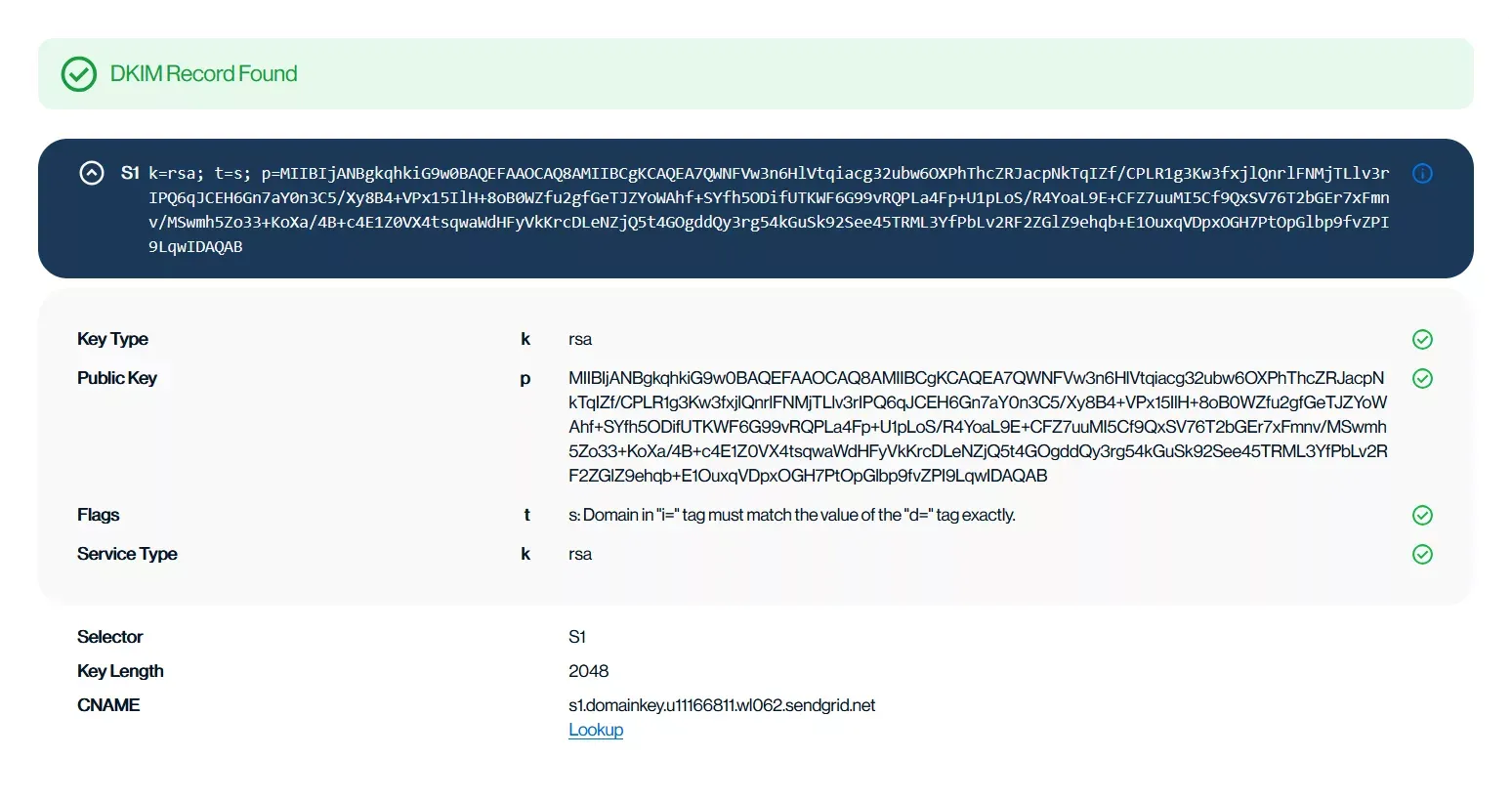
A DKIM selector helps receiving servers locate the correct public key to verify your email’s signature. With Sendmarc, you can generate, manage, and verify DKIM selectors, supporting safe key rotation, easier troubleshooting, and trusted email delivery.
Manage DKIM selectors confidently and protect your domain.
Understanding the role of a DKIM selector
DomainKeys Identified Mail (DKIM) is an authentication protocol that adds a digital cryptographic signature to outgoing email. This allows receiving servers to verify that the message wasn’t altered in transit.
The signature is created using a private key securely stored in the sender’s email server. The matching public key is published in the sender’s DNS.
A DKIM selector is a text string included in the DKIM-Signature header field of an email. It helps the receiving server find the correct public key in the DNS to verify the email’s signature.
Selectors allow multiple DKIM keys to exist under the same domain. This is especially useful for companies that:
- Send emails from numerous sources
- Rotate keys regularly to improve security
- Require separate authentication for different teams or third-party services
How a DKIM selector works
When an email is sent, the sending server provides the selector and uses the related private key to create a digital signature. The selector is added to the email’s DKIM-Signature header field using the s= tag.
The receiving server then performs a DKIM selector lookup, querying the DNS for the public key linked to that selector.
DKIM selectors support:
Multiple DKIM keys
Organizations can assign different keys to departments, services, or third-party senders using unique selectors.
Key rotation
Domains can rotate DKIM keys securely by publishing new keys under new selectors and updating signing configurations without disrupting email flow.
Security
Using multiple selectors limits the risk of a compromised key and offers better control over which servers are authorized to send email.
Troubleshooting
Since each selector maps to a specific key, email issues can be diagnosed more easily by identifying which selector was used.
DKIM selector examples and DNS record formats
A DKIM selector is typically a short, descriptive string such as selector1, s1, or something more specific like marketing2025. The selector is combined with your business’s domain name to form a DNS TXT record.
For example, if your domain is example.com and your selector is s1, the DNS TXT record name would be s1._domainkey.example.com.
This TXT record stores the public key used to verify the DKIM signature. A standard DKIM DNS record might look like:
| Host | Type | Value |
|---|---|---|
| selector._domainkey.yourdomain.com | TXT | v=DKIM1; k=rsa; p=[YourPublicKeyHere] |
v=DKIM1specifies the DKIM versionk=rsaindicates the key typep=[YourPublicKeyHere]contains the public key
Domains can also use multiple selectors, for example:
selector1._domainkey.example.comselector2._domainkey.example.com
Each selector points to a separate public key. These are referenced by the s= tag in the DKIM-Signature header field of your business’s outgoing email.
Adding and configuring a DKIM selector
Setting up a DKIM selector requires a few key steps:
1. Generate a DKIM key pair
Use your company’s email provider or a trusted third-party service to create a private and public key pair. The private key remains on your organization’s server to sign emails. The public key should be added to the DNS.
2. Choose a selector
Pick a unique identifier for the key pair, such as default, s1, or a date-based name like sales2025.
3. Publish the public key in DNS
Create a TXT record and include the public key in the value field.
4. Configure your email server
Set up your business’s sending infrastructure to use the private key and connected selector.
5. Test the setup
Use a DKIM validator tool to confirm that the selector is working as expected.
Tip: Most major platforms offer built-in tools and step-by-step guides to help you generate keys and configure DKIM selectors correctly.
Want to simplify the process? Book a demo or start a free trial with us.
Verifying and managing a DKIM selector
To verify your company’s selector, try one of the following methods:
Check the DKIM-Signature header
Open the header of an email sent from the domain. The selector appears as the s= value.
Example DKIM-Signature:
v=1;a=rsa-sha256;c=relaxed/relaxed;s=s1;d=example.com;t=1751035051;h=From:Reply-To:To:Subject:Message-ID:In-Reply-To:References:Content-Type:MIME-Version:Date;bh=aunFLksAAcTKS9q7A8lBniJx6lzZjNH9ytQMpJy682k=;b=qPHXJYl1cJPlgdTSK/OMjO3MHHNG6Ste+j5LWEKiZwxKx...;
Use a selector lookup tool
Enter the domain and selector into an online DKIM lookup tool to fetch the related public key record.
Managing DKIM selectors effectively
Effective selector management includes:
- Monitoring all active DKIM selectors and their linked keys
- Rotating keys regularly by publishing new pairs and retiring old ones
- Separating selectors by email stream or service for better control and troubleshooting
- Ensuring alignment between the
d=tag (signing domain) and the ‘From’ address to maintain trust and prevent spoofing
Adopting these practices strengthens your organization’s email reputation, minimizes spoofing risk, and enhances deliverability.
Secure your email with Sendmarc
Protecting your business’s email environment is critical as cyberthreats increase in frequency and sophistication. Sendmarc helps secure your company’s domain through:
- Simplified DKIM setup, hosting, and management
- Real-time alerts for updates
- Expert guidance on Sender Policy Framework (SPF), DKIM, and Domain-based Message Authentication, Reporting, and Conformance (DMARC)
Book a demo or sign up now to see how Sendmarc can protect your organization’s email infrastructure and boost domain trust.