

06 Aug 20268 minutes read
 Kiara SaloojeeDMARC Enthusiast
DMARC reporting: Enhancing visibility into email environments

The Sendmarc Portal provides useful insights into your organization’s email security through Domain-based Message Authentication, Conformance, and Reporting (DMARC). This guide will discuss configuring DMARC, navigating the dashboard, accessing detailed reports, and setting up automated reports to enhance your company’s email security management.
DMARC configuration
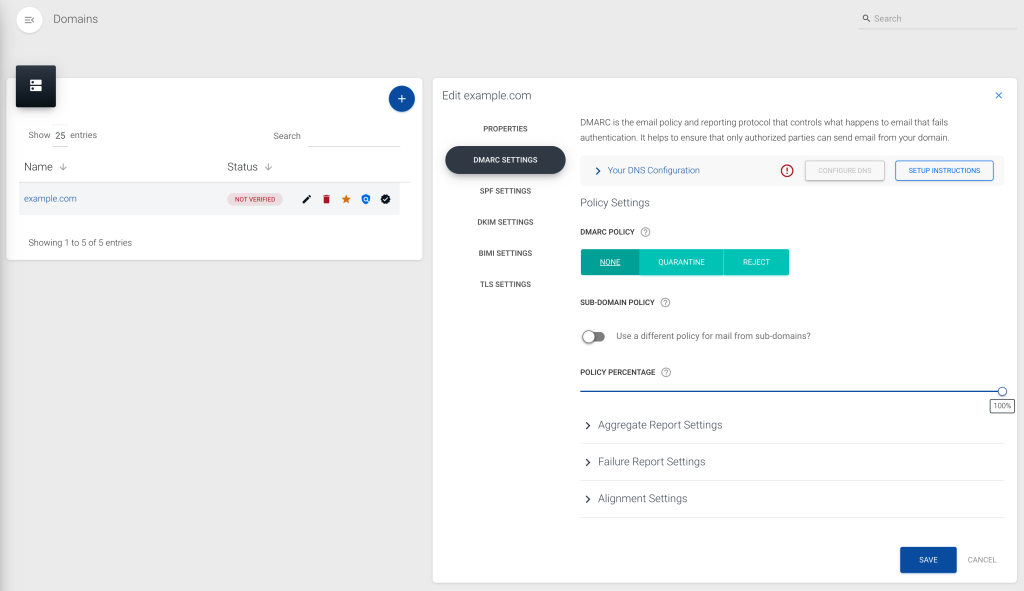
Begin by adding your business’s domain to Sendmarc. Confirm the correct settings have been imported/applied and make necessary adjustments where needed.
Then, there’s a section for “DNS Configuration” showing the Domain Name System (DNS) record required to enable DMARC management, its verification status, and the raw DMARC record. Add the Canonical Name (CNAME) record to your organization’s DNS to enable delegation and verify to validate the DNS record.
States of verification
The verification status reveals whether DMARC management is active:
- Verified: The CNAME record matches and the DMARC delegation is enabled.
- Partial verification: Either the Aggregate Reporting Address or the Raw record was found.
- Not verified: No matching records found; a re-check is necessary, especially for new domains.
Policy settings
After verification, configure the domain’s DMARC policy:
DMARC policy
Options are p=none (allow all emails), p=quarantine (mark suspicious emails), and p=reject (block unauthenticated emails).
We recommend beginning with a policy of p=none and moving to p=quarantine and p=reject once your organization’s confident that this change won’t impact email delivery. Use the DMARC data to guide this decision-making.
Subdomain policy
Define how emails from subdomains are handled, allowing them to either copy the main domain’s policy or have their own.
In general, we recommend that this policy remains unchanged (and should also be set to p=reject as soon as possible). If your company has subdomains that require their own DMARC policies, rather create individual DMARC records for them.
Policy percentage
Set the percentage of emails to which the DMARC policy will apply. This tag will be phased out soon, so it’s best not to depend too heavily on it during DMARC implementation.
DMARC reports
Aggregate (RUA) reports
Aggregate reports are summaries that provide insights into the emails associated with your business’s domain, detailing the number of emails sent, sending domains, and authentication statuses and identifying potential issues.
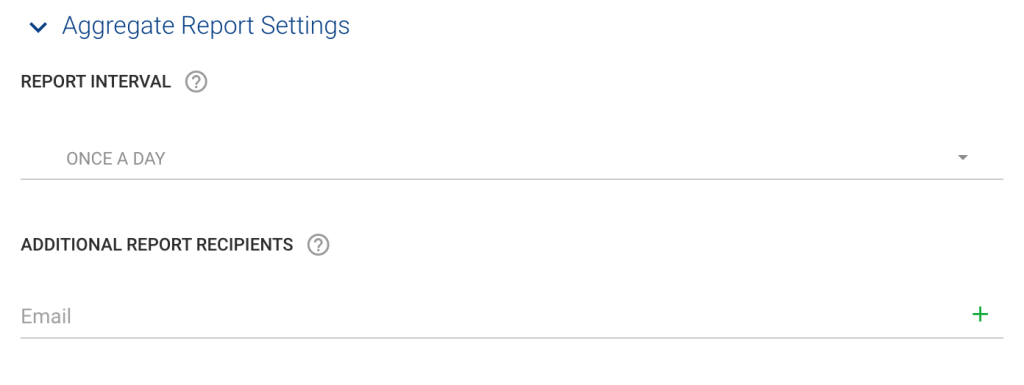
Automated reporting is managed under the “Aggregate Report Settings” in the domain management settings. Here, your organization can set intervals for receiving reports (most providers only send reports once a day – so think of this as a requested interval instead of an instruction) and add additional recipients (receivers generally only send reports to the first two RUA addresses).
Forensic (RUF) reports
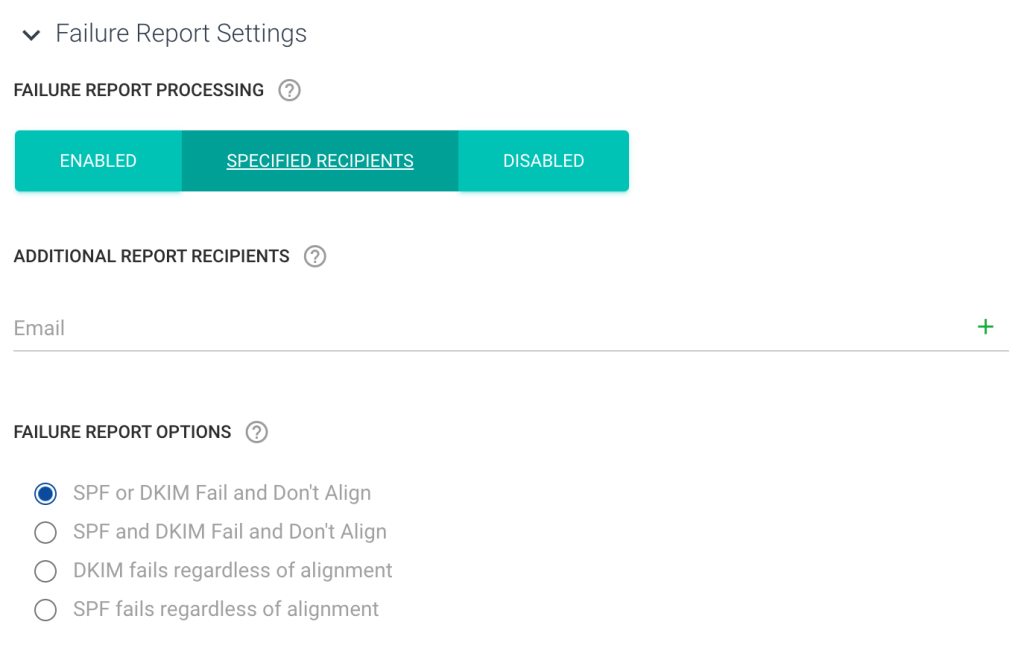
Generated for individual emails that fail DMARC validation, these reports contain information such as email headers and body content, which is useful for troubleshooting specific issues. Reports can be accessed through various dashboard overviews, including Failure Reports.
Your company can enable or disable these reports, and if enabled, specify recipients and define conditions under which these reports should be triggered.
Alignment settings
Determine the strictness of email source alignment with the domain’s policies using ‘Strict’ and ‘Relaxed’ modes for both DKIM and SPF.
We recommend using ‘Relaxed’ as it will allow enough flexibility to deliver most kinds of email.
Navigating the Sendmarc dashboard
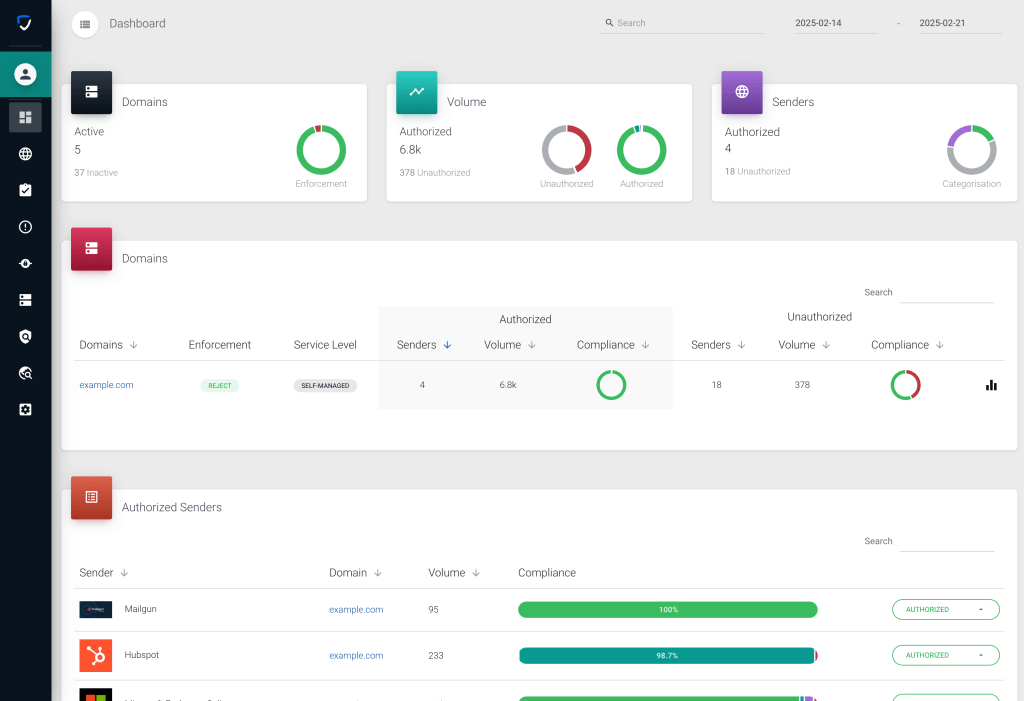
Sendmarc’s dashboard offers a comprehensive overview of email security across all domains in your oranization’s account, featuring key metrics.
Quick insight cards
- Domains card: Shows statistics on active and inactive domains and DMARC policies applied.
- Volume card: Shows a breakdown of authorized versus unauthorized email volumes within the selected period, along with authentication results.
- Senders card: Categorizes email senders, highlighting changes based on the number of senders marked as authorized.
Detailed breakdown cards
- Domains: This card offers a detailed view of domain-specific information such as enforcement policies, service levels, and lists of authorized and unauthorized senders, complete with total counts and volumes, accompanied by compliance charts.
- Authorized senders: Focuses on individual senders grouped as authorized across all domains, featuring details like domain and sender names, email volumes, and compliance levels.
- Timeline: Shows the DMARC authentication and failure rates over the selected time period.
- Source countries: Highlights the top five sending countries with a world map.
Specialized dashboards
Sendmarc’s specialized dashboards can be found when navigating to the email sources overview. Here, you’ll find the:
- Compliance dashboard: Offers DMARC authentication results for a specific domain in the account.
- Deliverability dashboard: Shows deliverability statistics using DMARC reporting data. This is different from DMARC authentication results because it shows cases where the recipient’s system ignored DMARC and explains why.
- Reputation dashboard: Monitors IP reputation across domains for your authorized senders.
- Threats dashboard: Identifies threats across IPs for domains for your non-authorized senders.
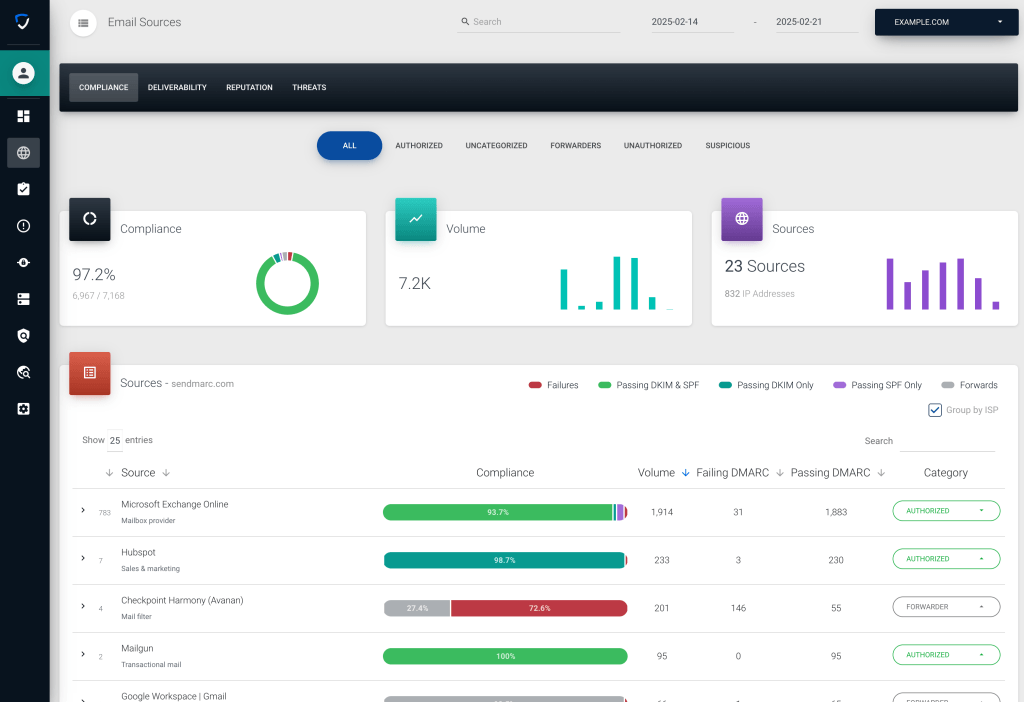
The Sendmarc platform provides powerful monitoring and managing capabilities, with real-time updates and graphical representations that assist in making informed decisions effectively. Ready to take control of your organization’s email security? Sign up for a free trial!



Leave a reply Cancel reply
Your email address will not be published. Required fields are marked *