

SSO: Simplifying secure access with Sendmarc
Single sign-on (SSO) allows people to authenticate once and securely access multiple applications without managing multiple passwords. For security, reliability, and user experience, SSO login is a smart default.
With Sendmarc, SSO is built in – making it simple for teams to protect their email authentication.
Book a demo to see our SSO in action.
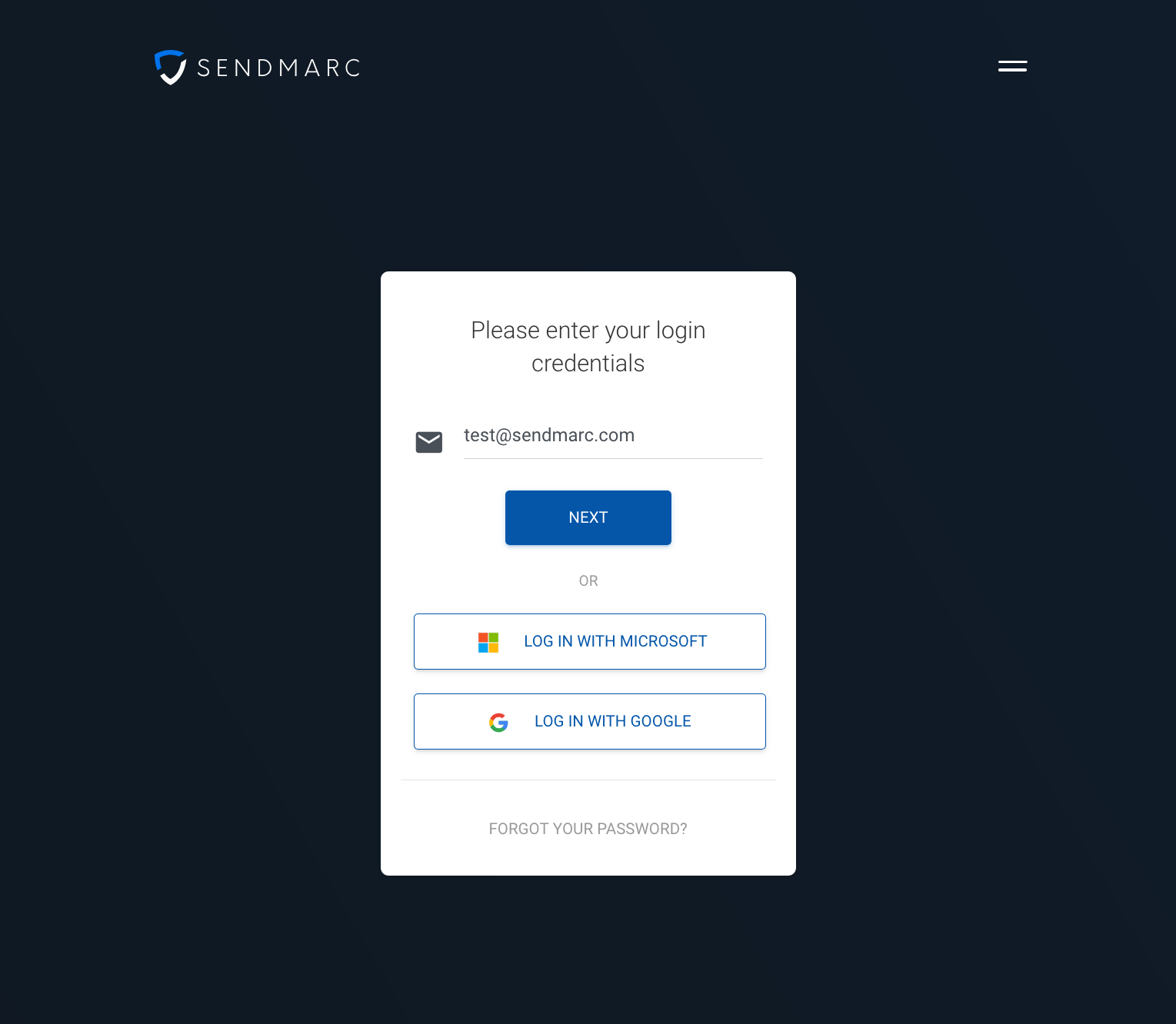
Sendmarc SSO login
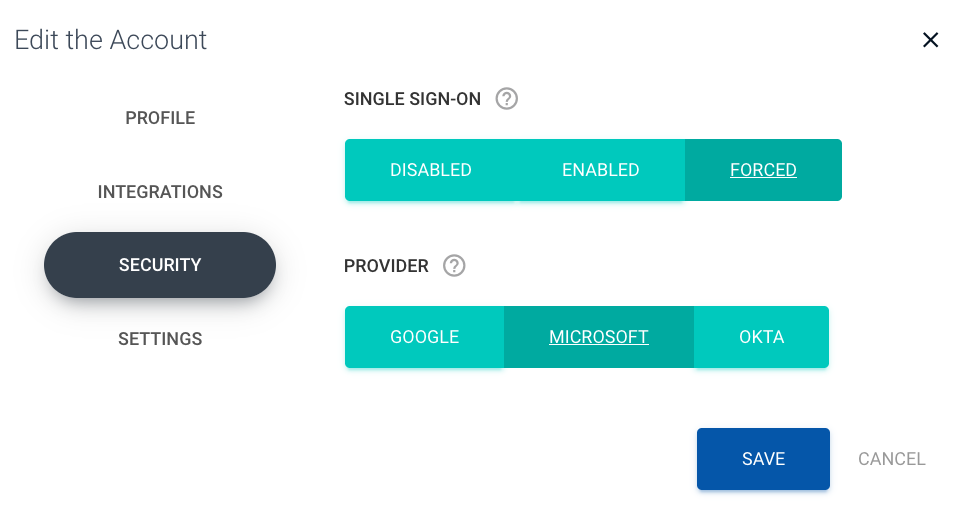
Sendmarc SSO settings
SSO meaning: What does SSO stand for?
SSO stands for single sign-on. It is an identity and access management approach that allows a user to authenticate once and then access multiple systems without re-entering credentials. In practice, SSO login consolidates identity checks into a single, trusted flow – reducing friction for users while strengthening control for administrators.
When an engineer or IT administrator thinks about the meaning of SSO, they focus on three outcomes:
- Fewer passwords to manage
- Centralized policy enforcement
- Consistent auditing across tools and applications
For organizations adopting email authentication records and hardening their security posture, SSO is a foundational capability. It supports least-privilege access and stronger governance.
How SSO works: Mechanics and flow
SSO relies on a trust relationship between two roles:
- Identity provider (IdP): Verifies identity (for example, Okta, Microsoft Entra, Google Workspace)
- Service provider (SP): The application that grants access after receiving a trusted signal (for example, Sendmarc)
Typical SSO login flow
- A user visits Sendmarc and signs in.
- Sendmarc (the SP) redirects the user to the IdP.
- The IdP authenticates the user using methods such as passwords or biometrics.
- After a successful check, the IdP issues a token.
- Sendmarc validates the token, then starts a secure session.
- The user is granted access – no duplicate logins or extra passwords required.
Key moving parts
- Tokens and claims: The IdP issues a signed token containing user information and permissions.
- Sessions: The SP uses the token to establish a session. Session lifetimes and refresh rules govern ongoing access.
- Logout: IdP-initiated or SP-initiated logout can happen across sessions, depending on configuration.
SSO protocols and standards overview
SSO can be implemented using several different methods. Each has its strengths and is suited to different environments.
Security Assertion Markup Language (SAML)
- XML-based.
- Common in enterprises with corporate directories.
- The IdP sends a SAML assertion to the SP, which contains identity and authorization data.
Open Authorization 2.0 (OAuth 2.0)
- An authorization framework that’s often used to grant access to APIs.
- Not an identity protocol by itself, but a core building block of modern sign-in ecosystems.
- Useful due to scopes and Access Tokens.
OpenID Connect (OIDC)
- An identity layer built on top of OAuth 2.0.
- Uses JSON Web Tokens (JWTs) for ID tokens.
- Popular for modern web and mobile because it’s lightweight and developer-friendly.
Choosing a protocol
- Legacy enterprise tools often rely on SAML.
- Modern applications tend to use OAuth 2.0 and OIDC for simpler integration.
Key benefits of SSO for businesses and engineers
SSO is more than a convenience – it’s a strategic enabler for security, operations, and productivity.
1. Security improvements
- Centralized policy enforcement: Apply multi-factor authentication (MFA), conditional access, and more in one place.
- Reduced password spread: Fewer weak or reused passwords across systems.
- Faster cancellation: Disabling one account at the IdP terminates access to all connected applications.
2. Operational efficiency
- Fewer support tickets: Reduced password resets lower the help-desk burden.
- Streamlined onboarding and offboarding: Grant or revoke access at the directory group level.
- Consistent logging: Standardized audit trails that simplify compliance and incident response.
3. Better user experience
- One login, many apps: A single SSO login covers all approved tools.
- Faster access: Less context switching and fewer lockouts.
- Predictable flows: Remote and hybrid teams benefit from consistent authentication experiences.
4. Engineering productivity
- Simplified integrations: Standard authentication across microservices and internal tools.
- Support for modern patterns: Easier adoption of Zero Trust, least-privilege access, and short-lived sessions.
For teams across all industries, SSO strengthens the security perimeter around sensitive dashboards. This makes it significantly harder for attackers to exploit stolen credentials.
Book a demo to see how Sendmarc uses SSO to secure access.
SSO risks and best practices to mitigate them
SSO concentrates access – so it must be used with care.
Key risks
- Single point of failure: If the IdP is unavailable, users may lose access.
- IdP compromise: A successful attack against the IdP can expose multiple applications at once.
- Token misuse: Long-lived sessions or weak validation can be exploited.
Best-practice mitigations
- Require MFA: Enforce MFA for all SSO logins, ideally using phishing-resistant methods such as FIDO2 keys or passkeys.
- Secure tokens: Use short token lifetimes with refresh tokens and rotate signing keys.
- Check device posture: Enforce patching operating systems, disk encryption, and endpoint detection and response.
- Harden IdP administrators: Apply least-privilege access, strong approvals, and activity alerts.
Aligning with these controls keeps the convenience while minimizing the attack surface.
Quick takeaway on the meaning of SSO:
- SSO = authenticate once, access many applications
- Works between an IdP and SPs
- Reduces password fatigue and simplifies compliance
Sendmarc’s SSO integration
Sendmarc’s platform integrates SSO to make secure access straightforward for security teams and engineers managing email authentication.
What is supported
- Identity providers: Okta, Microsoft Entra, and Google Workspace are supported by Sendmarc’s SSO login feature.
- Enforcement: Administrators can require SSO so all users authenticate through the corporate IdP.
- User experience: One click from your IdP’s app launcher provides instant access.
Typical enablement steps
- Users select their preferred IdP on the Sendmarc platform login form.
- They are then redirected to the IdP for authentication and provide their credentials.
- The IdP validates the credentials and confirms the user’s identity.
For step-by-step configuration and screenshots, see the setup guidance in our help center. If you’re migrating from passwords to SSO, plan a short overlap window and communicate changes to users.
Get started with SSO in Sendmarc
Make secure access effortless. Enable SSO in Sendmarc to protect your email authentication setup and simplify user experience.
- Centralized sign-in: Use your existing IdP.
- Stronger security: Enforce MFA.
- Simpler operations: Streamline onboarding, offboarding, and auditing.
Book a demo to get centralized access and advanced email authentication.