

DMARC setup: Ensure email authentication and security
Sendmarc simplifies DMARC setup with guided record creation, real-time monitoring, and expert support. Our platform helps your organization publish the right DMARC policy, track authentication results, and protect its domain from phishing and spoofing.
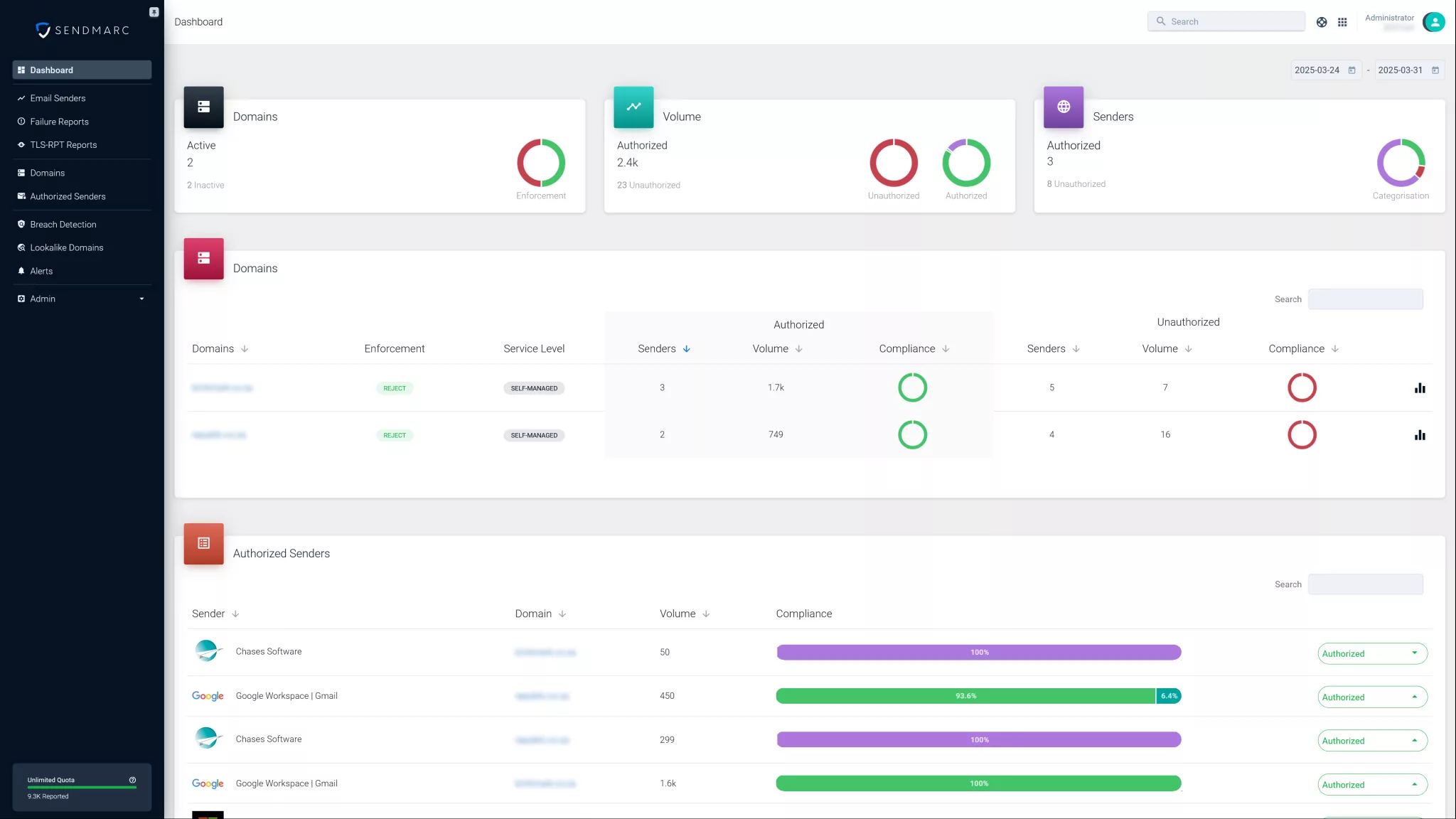
Ensure a correct DMARC setup in minutes and secure your email from day one.
Why is a proper DMARC setup important?
Domain-based Message Authentication, Reporting, and Conformance (DMARC) is an email authentication protocol that helps businesses prevent unauthorized use of their domains.
It builds on two existing standards:
- Sender Policy Framework (SPF) verifies that the sending server is authorized to send emails on behalf of a domain.
- DomainKeys Identified Mail (DKIM) adds a digital signature to each email, ensuring the message content hasn’t been altered during transmission.
With a proper DMARC setup, domain owners can instruct receiving email servers on how to handle messages that fail SPF or DKIM checks – whether to deliver, quarantine, or reject the message.
By learning how to implement DMARC correctly, you can protect recipients from phishing and spoofing attacks. DMARC enforcement also improves email deliverability by reducing Spam and Junk folder placement.
DMARC setup: DMARC enforcement policies
| Policy | Description | Use case |
|---|---|---|
none | Monitor only; no action is taken on failing emails | Use none during the initial DMARC setup to gather data without impacting deliverability |
quarantine | Place failing emails in the Spam folder or quarantine | Use quarantine to enable DMARC enforcement and reduce impersonation risks |
reject | Block and reject failing emails outright | Use reject for strict DMARC enforcement and maximum protection |
Start with p=none to monitor email traffic and identify legitimate senders. As your DMARC setup becomes more accurate and complete, gradually shift to quarantine to apply enforcement, and finally move to reject to reach full protection.
How to ensure correct DMARC setup
Preparing a domain for DMARC setup
Before configuring DMARC, ensure that SPF and DKIM are correctly set up for your company. These are essential requirements, as DMARC relies on their authentication results to function effectively.
Wait at least 48 hours after setting up SPF and DKIM to allow for proper DNS propagation and validation before enabling DMARC.
Creating DMARC records
A DMARC record is a DNS TXT record that defines your organization’s policy and reporting preferences. Below is an example of a DMARC record:
| Host | Type | Value |
|---|---|---|
| _dmarc.yourdomain.com | TXT | v=DMARC1; p=none; pct=100; rua=mailto:[email protected]; |
Explanation of each tag:
v=DMARC1: Specifies the DMARC versionp=none: Sets the policy to none (monitor and send reports)pct=100: Applies the policy to 100% of messagesrua: Defines the email address that receives aggregate DMARC reports
Structured DMARC setup: A phased approach to enforcement
Phase one: Finalize DNS
In phase one, we migrate all existing SPF and DKIM records to the Sendmarc platform. This establishes a single source of truth for authentication and ensures DNS changes can be managed safely and consistently.
Key steps include:
- Identifying and adding all customer domains to the Sendmarc platform
- Publishing DMARC records
- Importing existing SPF and DKIM entries
- Reviewing DNS for missing SPF or DKIM sources
- Verifying updates through our domain scoring tool
Phase one typically takes one to five days, depending on DNS access, domain volume, and internal approval.
Phase two: Authorize senders
Phase two strengthens authentication by identifying every legitimate system sending email on behalf of the domain and ensuring each one is configured correctly.
Key steps include:
- Identifying legitimate sending systems and their business owners
- Confirming capabilities for each system
- Identifying missing authentication components
- Logging internal change approvals
- Adding or updating SPF entries in the Sendmarc platform
- Generating and publishing DKIM keys in our platform
- Validating changes using our domain scoring tool
This phase usually takes 30 to 60 days, depending on the environment’s complexity.
Phase three: Move to p=quarantine
By phase three, authentication and deliverability should be nearing full compliance. The DMARC setup is updated to p=quarantine, which routes non-compliant email to a Spam or quarantine folder rather than blocking it outright.
This stage acts as a safety net – teams can confirm that all legitimate systems have been correctly configured while still preventing high-risk email from reaching inboxes.
Key steps include:
- Reviewing domain data for at least two weeks
- Validating and updating configurations if needed
- Communicating upcoming enforcement to stakeholders
- Logging necessary approvals
Phase three is typically completed within 14 days.
Phase four: Move to p=reject
Phase four applies the strongest form of protection: p=reject. This blocks all emails that fail SPF and/or DKIM alignment, preventing cybercriminals from impersonating your domain.
Before enabling enforcement, Sendmarc recommends completing these checks:
- Review data again to confirm all legitimate senders are included
- Confirm exposure reports are configured
- Verify alerting is set up correctly
Phase four usually takes companies one day, but ongoing monitoring remains essential as new platforms or tools are introduced over time.
Sign up with Sendmarc today to simplify your DMARC setup, get expert support, and monitor email authentication easily.
Monitoring and maintaining your DMARC setup
DMARC provides reporting features that give your business visibility into authentication results and possible misuse of its domain. These reports allow you to:
- Identify legitimate sources that need SPF configuration
- Detect unauthorized senders or phishing attempts
- Adjust the DMARC setup based on real-world data
Use Sendmarc’s enterprise DMARC solution to collect and analyze reports efficiently. Regular review of these reports is key to refining your company’s SPF, DKIM, and DMARC setups for better security and improved email deliverability.
Get started with Sendmarc’s email security solutions
Managing DMARC records can be complex, but Sendmarc makes it simple. Our platform offers expert tools that help your organization:
- Simplify DMARC setup and management
- Strengthen its email security posture
- Protect its customers from email fraud
Sign up today or book a demo to see how Sendmarc makes DMARC setup and enforcement easy.