

DMARC alignment: Centralized configuration and enforcement
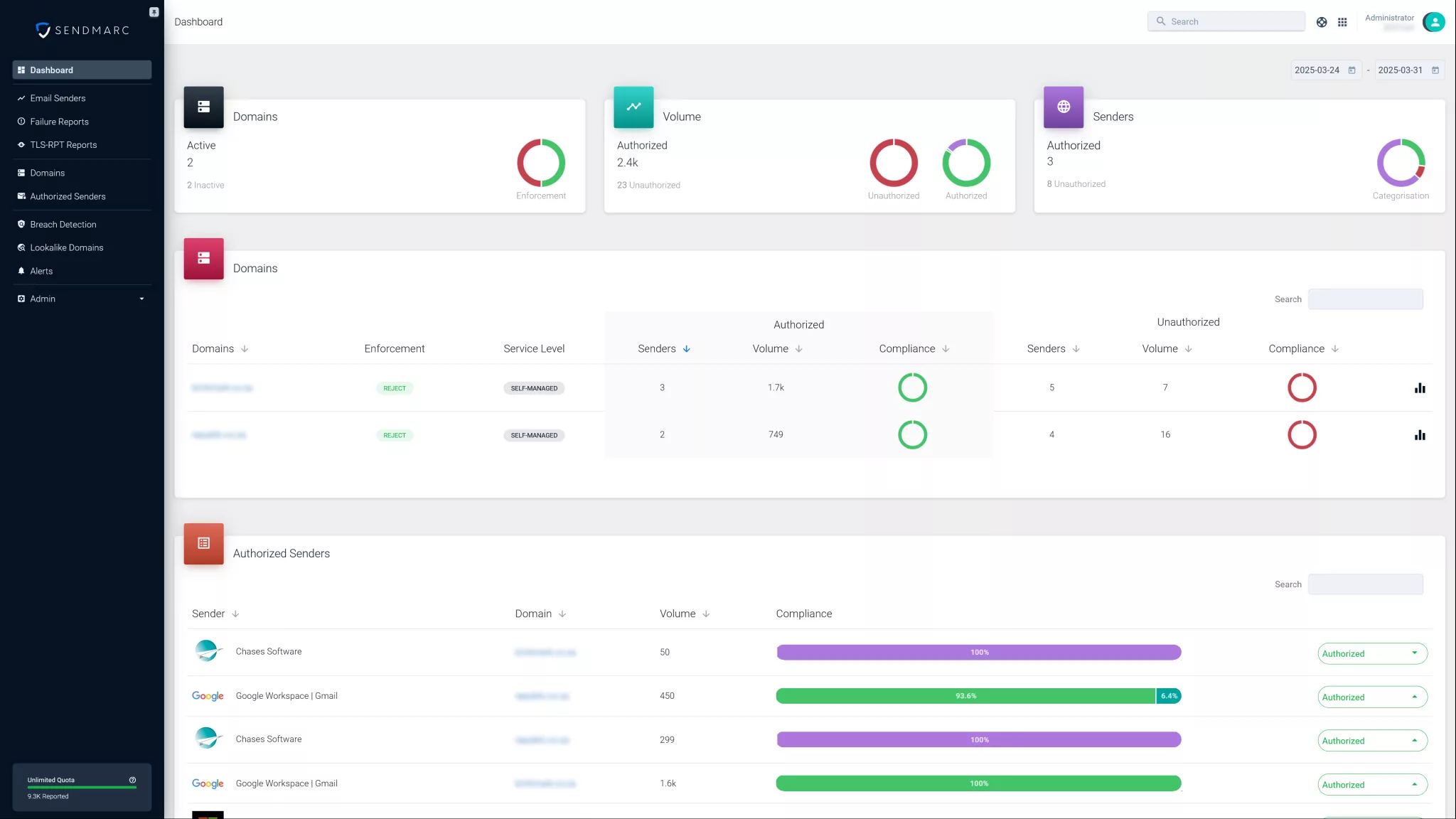
Sendmarc makes it easy to enforce DMARC alignment – so the domain in your email’s ‘From’ address matches what’s validated by SPF and DKIM. This prevents impersonation, improves deliverability, and ensures your domain is protected from spoofing and fraud.
Essentials for understanding DMARC alignment
Domain-based Message Authentication, Reporting, and Conformance (DMARC) is a vital email authentication protocol that helps companies protect their domains from unauthorized use, such as phishing, spoofing, and email fraud.
DMARC builds on two foundational standards:
It allows domain owners to specify how email receivers should handle messages that fail authentication and provides detailed reports to monitor email activity.
Why DMARC matters
Email is one of the most common entry points for cybercriminals. Spoofing attacks – where attackers send emails that appear to come from your domain – can result in data breaches, financial loss, and brand damage.
DMARC helps reduce this risk by:
- Enhancing email security: Verifies that messages come from the domain they claim to – making it harder for attackers to impersonate your brand.
- Improving email deliverability: Authenticated messages are less likely to land in Spam or Junk folders, increasing the chance of them reaching your audience.
- Providing visibility: DMARC reports reveal who’s sending emails on your behalf, helping detect unauthorized use.
Key DMARC components
To understand how DMARC works, it’s helpful to break it down into three key components:
Authentication:
DMARC uses SPF and DKIM to validate emails:
- SPF checks if the IP address is authorized to send email from the domain.
- DKIM verifies the message’s integrity using a cryptographic signature.
Reporting:
Domain owners receive aggregate and forensic reports from email receivers. These reports highlight authentication results and potential misuse.
Enforcement:
DMARC policies tell receivers how to handle emails that fail authentication:
- p=none: Take no action
- p=quarantine: Mark messages as suspicious
- p=reject: Block the messages entirely
By combining these elements, DMARC empowers domain owners to protect their email environments and their reputations.
What is DMARC alignment?
DMARC alignment is a core concept within the DMARC framework. It ensures that the domain shown in the ‘From’ address of an email matches the domain used by SPF and/or DKIM.
In simple terms, alignment confirms that the sender’s identity is consistent and trustworthy.
Why alignment matters
Without alignment, unauthorized emails could reach users.
For example, an attacker might use an authorized IP address to pass SPF, but set a different ‘From’ domain to mislead the recipient. DMARC alignment prevents this tactic by requiring that the domain in the ‘From’ header aligns with the domain authenticated by SPF and/or DKIM.
Alignment is foundational for effective DMARC enforcement. If alignment fails, the message is considered unauthenticated, and the DMARC policy will determine the next step – whether that’s taking no action, quarantining the email, or rejecting it entirely.
This mechanism protects your domain’s reputation and helps prevent phishing attacks from reaching your audience.
Choosing the right DMARC alignment mode
DMARC offers two alignment modes that determine how closely the domains must match:
| DMARC alignment mode | Description | When to use |
|---|---|---|
| Strict | Requires an exact match between the domain in the ‘From’ address and the domain authenticated by SPF or DKIM. For example, [email protected] must match example.com. | Ideal for high-security environments or sensitive data. Use when you control all your sending sources. |
| Relaxed | Allows alignment if the domains share the same organizational domain. For example, [email protected] aligns with example.com. | Best for setups using multiple subdomains or third-party platforms like marketing or CRM tools. |
What is an organizational domain?
An organizational domain is the main registered domain. For example, in mail.example.com, the organizational domain is example.com.
Relaxed alignment treats an email as aligned if the authenticated domain is either the same as or a subdomain of the domain in the ‘From’ header.
Picking the DMARC alignment mode
Strict alignment:
Use this when your business directly manages all sources of outbound email. It provides the highest level of protection but might cause legitimate messages to fail if they’re from an external source or subdomain.
Relaxed alignment:
Recommended for companies using subdomains or third-party services to send email. It offers a good balance between email security and deliverability by allowing limited domain variation.
How DMARC alignment works
DMARC alignment is verified during the email authentication process by comparing the domains used in SPF and DKIM with the domain in the ‘From’ header.
Step-by-step alignment process
1. SPF alignment check
- SPF authenticates the sending IP against the domain specified in the ‘Return-Path’ (also known as the envelope sender).
- DMARC compares this domain to the one in the ‘From’ address.
- If they match based on the selected DMARC alignment mode (strict or relaxed), the SPF alignment passes.
2. DKIM alignment check
- DKIM validates the email’s cryptographic signature, which includes a domain.
- DMARC compares this domain to the ‘From’ domain.
- If they match under the chosen DMARC alignment mode, DKIM alignment passes.
3. Final alignment result
- If SPF and/or DKIM alignment passes, the email is accepted.
- If the email fails DMARC alignment, it’s handled according to the domain owner’s policy (none, quarantine, or reject).
Real-world example
Let us say an email is sent from [email protected] with a ‘From’ address of [email protected]:
- SPF authenticates the sending IP for mail.example.com.
- DKIM validates the signature for mail.example.com.
Under relaxed alignment:
Since mail.example.com is a subdomain of example.com, alignment passes.
Under strict alignment:
The domains don’t exactly match, so alignment fails.
This example shows why selecting the appropriate DMARC alignment mode is essential.
DMARC alignment troubleshooting
Ensuring proper DMARC alignment requires proactive troubleshooting.
Common causes of alignment failures
Incomplete SPF records
Not including all legitimate IP addresses, especially third-party platforms.
Misconfigured DKIM signatures
Using a signing domain that doesn’t align with the ‘From’ address.
Email forwarding
Forwarders might break SPF alignment because they use their own IP addresses. If SPF alignment failed, DMARC might do the same.
Incorrect DMARC settings
Misconfigured
aspfandadkimtags can enforce overly strict alignment.
Troubleshooting guide
Review SPF records
Confirm all sending IPs are listed in your SPF DNS record.
Check DKIM domains
Ensure the
d=tag in your DKIM signature aligns with your ‘From’ domain.Adjust the DMARC alignment mode
If strict alignment causes failures, switch temporarily to relaxed mode and monitor results.
Monitor DMARC reports
Use reports to identify problem sources and detect misconfigurations.
Send test emails
Test from all sources and review headers to verify alignment for each message.
Best practices for implementing DMARC alignment
A strategic, phased approach is key to successful DMARC alignment. These best practices will help strengthen email security while maintaining deliverability:
- Explicitly set alignment modes: Use the
aspf(SPF alignment) andadkim(DKIM alignment) tags in your DMARC DNS record to define strict (s) or relaxed (r) alignment modes. - Start in relaxed mode: Begin with relaxed alignment to avoid disruptions, especially if your organization uses multiple subdomains or relies on third-party senders.
- Keep SPF and DKIM records updated: Regularly audit your SPF and DKIM DNS records to ensure all authorized sending sources are included.
- Use subdomains for third-party senders: Assign subdomains to vendors or marketing platforms. This approach improves alignment and minimizes risks.
- Avoid common pitfalls: Account for scenarios like email forwarding, and verify that all parts of your email infrastructure support consistent authentication and signing.
Following these best practices helps protect your domain and reputation.
Enhance your email security with Sendmarc
Sendmarc’s user-friendly platform simplifies DMARC alignment and email security management.
With Sendmarc, you can:
- Gain clear visibility: Access real-time DMARC reports and analytics for insights into email authentication.
- Easily configure the DMARC alignment mode: Set and adjust strict or relaxed alignment based on your domain’s requirements.
- Protect your brand: Prevent phishing and spoofing attempts that could damage your reputation.
- Improve deliverability: Make sure your authenticated emails reach inboxes, not Spam or Junk folders.
- Leverage expert support: Get assistance from email security specialists to ensure your DMARC implementation is optimized.
Take control of your domain’s email security with Sendmarc.
DMARC alignment FAQs
What is DMARC alignment?
DMARC alignment ensures that the domain shown in the email’s ‘From’ header matches the domains authenticated by Sender Policy Framework (SPF) and/or DomainKeys Identified Mail (DKIM). This confirms that the sender’s identity is consistent and legitimate, helping prevent domain spoofing.
What is the alignment mode for DMARC?
The alignment mode for DMARC determines how closely the authenticated domains must match the ‘From’ domain. There are two alignment modes:
Strict: Requires an exact domain match.
Relaxed: Allows a match at the organizational domain level.
These modes can be configured separately for SPF (aspf) and DKIM (adkim) in your DMARC DNS record.
How do I fix a DMARC alignment failure?
To fix a DMARC alignment failure, review and update your SPF and DKIM DNS records to include all authorized sending sources. Ensure that DKIM signatures use a domain aligned with the ‘From’ address. If needed, adjust the DMARC alignment mode from strict to relaxed.
Can an email pass SPF and DKIM but fail alignment?
Yes, an email can pass SPF and DKIM authentication checks but still fail DMARC alignment. This happens when the domains used in SPF and DKIM don’t match the ‘From’ domain as required by the configured DMARC alignment mode (strict or relaxed). In such cases, the message might be treated as unauthenticated depending on your DMARC policy.